
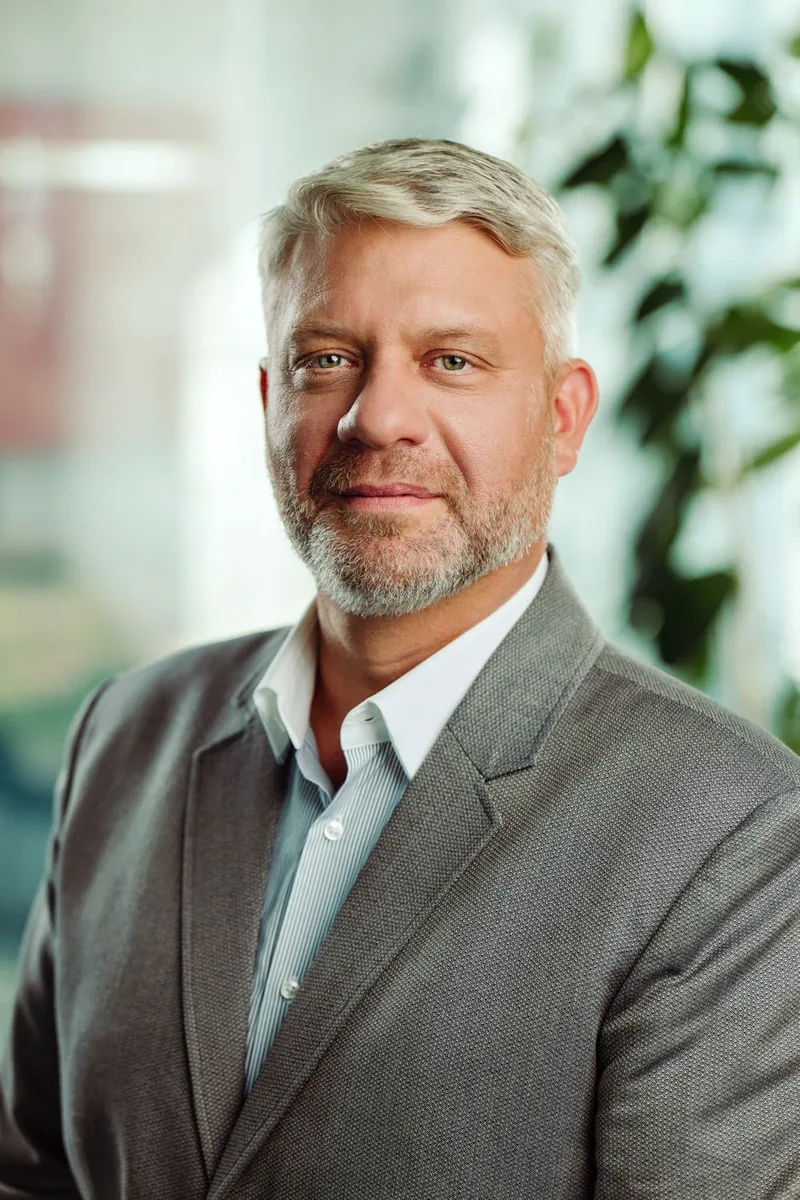

A good LinkedIn photo shows your face clearly, looks like you today and works as a small circle. The seven common mistakes – selfie, old photo, cropped group shot, busy background, bad light, no eye contact, mixed team styles – are all fixed by one well-planned business portrait.
Your LinkedIn profile photo is often the first thing a recruiter, client or new colleague sees – before they read a single line. This guide is for professionals and HR teams in Zurich and across Switzerland who want a profile photo that works. At the end you will know the seven most common mistakes and how to fix each one.
What makes a good LinkedIn profile photo?
A good LinkedIn photo shows your face clearly, looks like you today and fits the role you want. That’s it. LinkedIn shows the picture as a small circle next to your name, in search results, comments and messages – so your face must still work at thumbnail size. Head and shoulders, eyes towards the camera, calm background, soft light.
Which mistakes do we see most often?
Most weak profile photos fail for one of seven reasons. Each one is easy to fix:
| Mistake | Why it hurts | The fix |
|---|---|---|
| 1. Selfie at arm’s length | Wide phone lens distorts the face; it looks casual | Someone else takes the photo, from a few metres away |
| 2. Photo from years ago | People don’t recognise you at the meeting | A new photo whenever your look changes |
| 3. Cropped from a group or party photo | Blurry, odd crop, a stranger’s shoulder | A photo made for this purpose |
| 4. Busy background | The eye goes to the background, not to you | Calm wall, soft office blur or a clean studio background |
| 5. Bad light | Shadows under the eyes, flat or orange skin | Soft light from the front or side |
| 6. No eye contact | Sunglasses or looking away feel distant | Eyes towards the lens, a relaxed expression |
| 7. Every team member looks different | The company page looks random | One look for the whole team: same light, crop and background |

Why is a selfie or an old photo a problem?
Because people judge trust from your face in a second. A selfie is taken too close: the phone’s wide lens makes the nose bigger and the face narrower than in real life. An old photo creates a small surprise when you meet in person. Neither is a disaster – but both send the message that the profile is not important to you.
Studio background or office: what works better?
Both work, as long as the background is calm. A clean background keeps all attention on your face and is easy to match across a team. An environmental portrait in your office tells a little more about your work and feels more personal. For LinkedIn, the face must fill most of the frame either way.

How does a professional business portrait fix these mistakes?
A business portrait solves all seven at once: right distance, controlled light, a calm background and a few minutes to warm up in front of the camera. These tips come straight from our shoots:
- Decide the use first. LinkedIn, website, press – each needs a slightly different crop. Tell us before the shoot.
- Take a few warm-up minutes. The first photos are always stiff. The good ones come once you relax.
- Book a hair & make-up person if you can. It saves time and calms nerves.
- “I’m not photogenic” is rarely true. Usually it was bad light or a rushed photographer.
You then see all photos, choose your favourites, and those get retouched. Read more in our guide on how to prepare for a business portrait shoot.

How do you get one look for the whole team?
Photograph everyone in one place, with the same light and the same crop. We come to your office with a mobile studio, so nobody has to travel and the look stays consistent. New hires can be added later in the same style. If your company has an event coming up, headshots at the event are another way to reach many people in one day.
Example: a 40-person team in Zurich wants new LinkedIn photos. One meeting room becomes the studio, people come in short slots between meetings, and everyone gets the same clean background and crop – so the company page finally looks like one team.

Your LinkedIn photo checklist
- Taken by someone else, not a selfie.
- Looks like you today.
- Made for this purpose, not cropped from a group photo.
- Calm background.
- Soft light, no hard shadows on the face.
- Eyes towards the camera, no sunglasses.
- Face fills most of the frame – still clear as a small circle.
- Same style as the rest of your team.
Frequently asked questions
Should I smile on my LinkedIn profile photo?
A relaxed, natural expression works best for most roles. A slight smile usually feels more approachable than a serious face – we take both during the shoot, and you choose.
Can the whole team be photographed in our office in Zurich?
Yes. We bring a mobile studio to your office in Zurich or anywhere in Switzerland, so the whole team gets the same light, background and crop.
Can I use the same photo for LinkedIn and our website?
Yes, if you tell us the uses before the shoot. Then we photograph with enough space around you for the different crops.
Can portraits be combined with an event?
Yes – business portraits, event photography and the AI Photo & Video Booth can be booked separately or together.
Need a new LinkedIn photo?
Business portraits for you or your whole team – in your office in Zurich, Geneva, Basel or anywhere in Switzerland.
Swiss Moments – AI photo & video booth, event photography and business portraits in Switzerland. More than 10 years behind the camera and over 500 events.
