

Event media content planning for marketing teams works best when you treat the event as a content engine, not a one-day production task. In 2026, teams that plan capture, reuse, and distribution before the event create more usable assets for digital marketing, which Wikipedia defines as promotion through digital technologies and media platforms, and often get more long-tail value from budgets. For practical examples, see Event Content Strategy for Marketing Teams: A 2026 Playbook and the AI Photobooths in Events solution for branded guest content.
Set business goals before you build the shot list
A strong content plan starts with one decision: what the media must help your team achieve after the event. That usually means separating assets for brand awareness, lead nurturing, recruitment, internal communications, and sales enablement instead of asking one photographer or videographer to "capture everything."

Teams often confuse event coverage with content creation, but content creation is the act of making and sharing media in digital contexts, so your plan should map each asset to an actual channel and owner. If you need support on production structure, review event media production agency services in Switzerland and this guide to corporate video content for marketing.
A simple planning matrix
| Goal | Asset type | Primary channel | Owner |
|---|---|---|---|
| Brand visibility | Hero photos, recap video | LinkedIn, website | Brand team |
| Lead generation | Speaker clips, testimonials | Email, landing pages | Demand gen |
| Employer brand | Team photos, BTS clips | Careers page, social | HR/comms |
| Community reach | UGC, booth photos | Social stories | Social team |
Key insight: if an asset has no channel, deadline, or owner, it probably shouldn't be on the shot list.
Translate objectives into capture requirements
Use a short brief with: target audience, must-have scenes, approved spokespeople, brand elements, file deadlines, and usage needs. For event-specific capture planning, conference photography best practices and behind-the-scenes corporate event shoot planning are useful internal references.
Plan for three content streams: branded, editorial, and guest-made
The best event coverage mixes polished assets with fast, human content. Marketing teams need branded media for campaigns, editorial-style coverage for credibility, and user-generated content, or UGC, which Wikipedia describes as content created by internet users such as images, video, audio, and text.
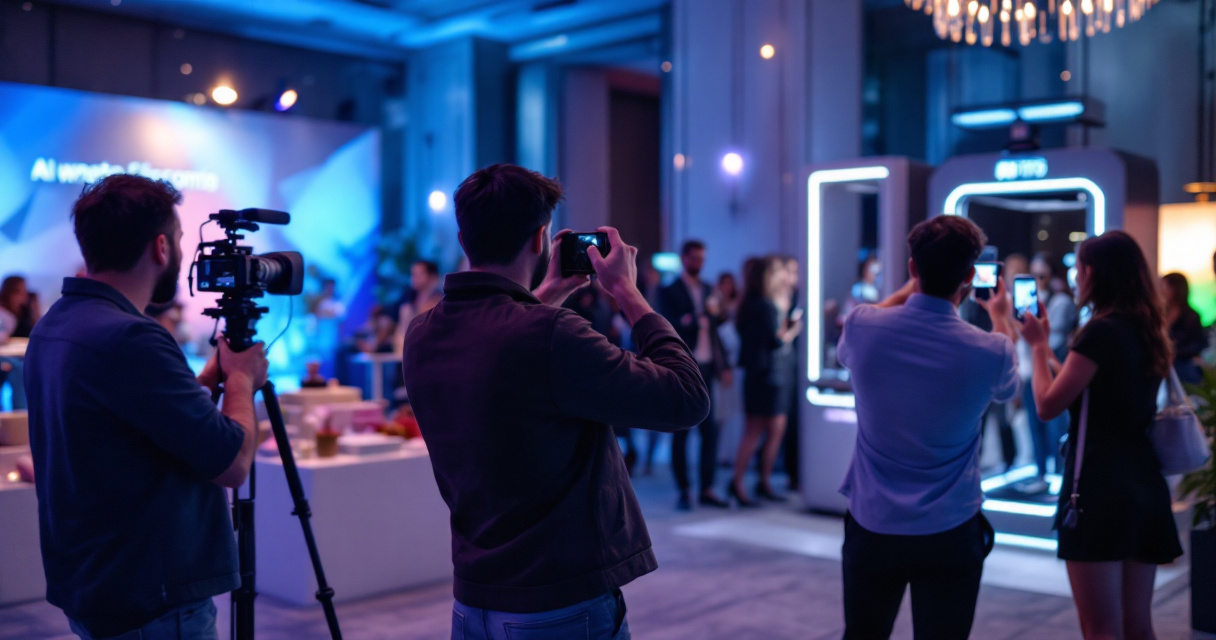
That third stream matters because guests often create the most shareable moments. With AI Photobooths in Events, teams can collect branded attendee images that are easier to post quickly and can support same-day visibility. More on activation ideas lives on swissmoments.ch.
The three-stream capture checklist
- Branded: stage visuals, venue branding, sponsor integrations, hero portraits
- Editorial: candid networking, reaction shots, keynote details, atmosphere
- Guest-made: booth images, selfies, testimonials, social-first clips
Research on generative AI by Dwivedi, Kshetri, and Hughes (2023) examined how conversational AI affects practice and content workflows, which is relevant as teams now use AI to tag, summarize, and repurpose event media faster.
Choose formats that match post-event reuse
Plan for vertical video, square social crops, website headers, speaker snippets, and internal recap decks before cameras roll. If your team is deciding between formats, photography vs videography for corporate events helps clarify trade-offs.
Build a post-event publishing system before the venue opens
Post-event value depends more on workflow than on camera quality. Your team should know where files land, who selects winners, what gets same-day approval, and how content will be repurposed over the next 30, 60, and 90 days.
Modern planning also means preparing for AI-assisted search and summarization. Work on foundation models such as LLaMA by Touvron, Lavril, and Izacard (2023) helped push wider use of language models, so structured captions, named speakers, and clean metadata now matter more because AI systems can surface your event assets in summaries and internal knowledge tools.
A 90-day reuse sequence
- Same day: publish 10 to 20 edited photos and one short recap clip.
- Week 1: release speaker highlights and stakeholder thank-you posts.
- Month 1: turn footage into case studies, web pages, and sales assets.
- Months 2 to 3: reuse clips for recruiting, product pages, and paid social.
Key insight: the event ends in hours, but a planned media library can support campaigns for a quarter.
How AI Photobooths in Events fits the workflow
AI Photobooths in Events works best as part of the publishing system, not as a standalone attraction. Used alongside professional photography and video, it adds branded guest content that marketing teams can distribute quickly while preserving a polished hero asset set. For more examples and related reading, visit the Swiss Moments blog or head to swissmoments.ch.
Conclusion
Effective event media content planning for marketing teams comes down to one rule: plan distribution before capture. Start with goals, assign owners, and build a three-stream content mix so your next event produces assets your team can actually use, then expand the plan with help from Swiss Moments' related guides and services.
